Bulk SMS Delivery Report (DLR)
Know whether your SMS reached your recipient.
📋 Malaysia DLR Note: In Malaysia, SMS delivery reports confirm delivery to the Telco's SMSC (network server). This is the standard across all Malaysian mobile operators — handset-level read receipts are not available via standard SMS routes.
What is a Bulk SMS DLR?
When you send SMS via the iSMS platform, our server submits the message to the mobile operator's SMSC. The SMSC returns a delivery status back to iSMS — this is your Delivery Report (DLR).
DLR is available when using 2-Way SMS or long/random number routes. It is not available for custom alphanumeric Sender ID routes in Malaysia, as operators do not return receipts for those.
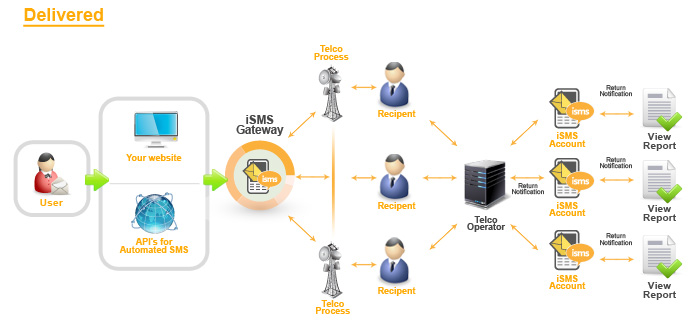
Viewing Your DLR in the Member Portal
Log in to your iSMS member account and navigate to SMS History or Reports to view your delivery report for any sent campaign.
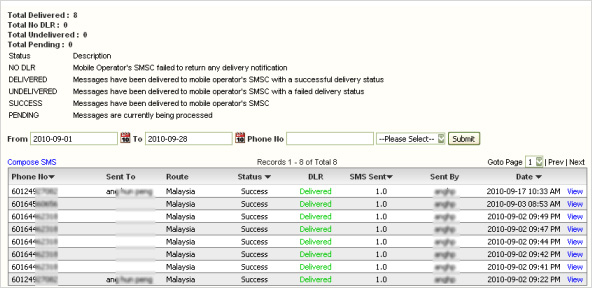
For a full explanation of each DLR status code (SENT, DELIVERED, UNDELIVERED, PENDING, FAIL), see: iSMS DLR Status Guide →
📞 Contact iSMS Support
Email: sales@mobiweb.com.my (include your username) |
WhatsApp: +603 2780 3801 |
KL: +603 2780 3880 |
Penang: +604 2024 033